
Smartphones, tablets, laptops and other rechargeable devices have become essential in modern workplaces, schools and businesses. As the number of devices increases, managing individual chargers, cables and power outlets can become difficult.
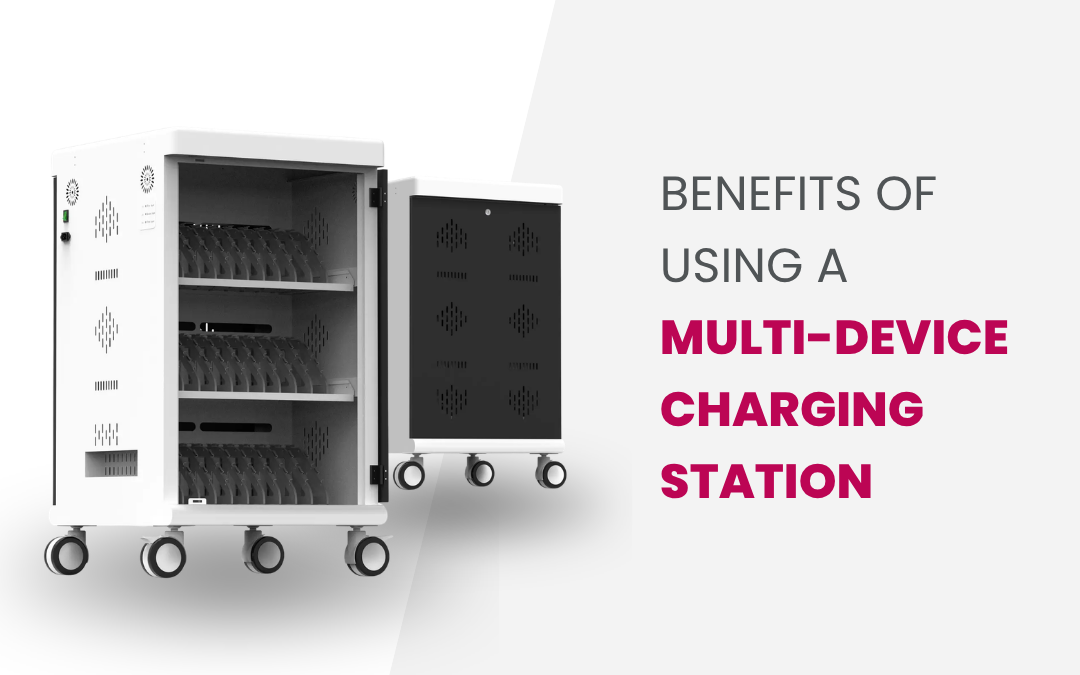
A multi-device charging station provides a simple way to charge several compatible devices in one central location. It can reduce cable clutter, improve device organisation, save workspace and make it easier to ensure important devices are ready when needed.
For businesses managing multiple electronic devices, a dedicated charging solution can be a practical addition to their IT infrastructure.
What Is a Multi-Device Charging Station?
A multi-device charging station is a dedicated unit designed to charge multiple electronic devices at the same time. Depending on the model, it may support smartphones, tablets, laptops and other USB-powered equipment.
Rather than having individual chargers spread across desks or rooms, businesses can establish one central charging point. Some USB charging stations also include dedicated spaces for devices and cable management features to create a more organised setup.
1. Charge Multiple Devices at the Same Time
One of the biggest benefits of a multiple device charging station is its ability to charge several devices simultaneously.
This is particularly useful for businesses, schools and organisations that manage shared technology. Instead of employees or users searching for available power outlets, compatible devices can be returned to a central charging station.
For example, an office with shared tablets can place the devices on charge at the end of the working day, helping ensure they are ready for use the following morning.
2. Reduce Cable Clutter
Using separate chargers for every device can quickly result in tangled cables and occupied power outlets.
A multi-device charging station helps bring charging into one organised area. This can create a cleaner workspace and make cables easier to identify and manage.
Better cable organisation can also reduce the inconvenience of searching for the correct charger when a device needs power.
3. Improve Device Organisation
Shared devices can easily be misplaced when there is no dedicated storage or charging area.
A charging station creates a consistent location where devices can be returned when they are not being used. Employees, students or staff members know where to find devices and where they should be placed after use.
This simple process can make shared technology easier to manage and reduce unnecessary downtime.
4. Save Valuable Workspace
Multiple chargers and power boards can take up valuable desk and floor space.
A charging station for multiple devices consolidates the charging process into a single unit. Depending on the design and capacity, it can be placed on a desk, shelf, counter or other suitable location.
For businesses operating in smaller offices or shared workspaces, efficient use of available space can be particularly important.
5. Support Different Devices
Modern businesses often use a combination of smartphones, tablets, laptops, scanners and other rechargeable technology.
Many commercial charging stations offer different charging connections and power configurations to support compatible devices. USB-A and USB-C are commonly used charging interfaces, while some solutions are designed specifically for laptops or tablets.
Before choosing a charging station, check the device manufacturer’s charging requirements, supported connections and required power output.
6. Make Workplace Device Management Easier
Charging is only one part of managing a large number of devices. Businesses also need to know where their equipment is and whether it is ready for use.
A central charging location can make this process more consistent. Staff can return devices after use, connect them to the charging station and collect them when required.
This approach can be especially useful for organisations using shared tablets, mobile devices or other equipment throughout the day.
7. Improve Charging Efficiency
A suitable commercial charging station can help businesses create a more structured charging routine.
Instead of charging devices randomly throughout the workplace, devices can be collected and charged in a designated area. This can make it easier to monitor device availability and reduce the chances of discovering an important device with a low battery when it is needed.
However, charging performance depends on the specific station, device and power requirements, so businesses should always check technical specifications before purchase.
8. Useful for Schools and Educational Facilities
Schools, colleges and training facilities often manage large numbers of laptops and tablets.
A dedicated charging station can provide a central location for students and staff to return devices after lessons or activities. This can simplify device management and help prepare technology for the next class.
Depending on the environment, organisations may also consider solutions that provide secure storage alongside charging functionality.
9. Suitable for Different Business Environments
The benefits of a multi-device charging station extend across many industries and workplaces.
They can be useful in:
- Offices and corporate workplaces
- Schools and universities
- Retail environments
- Healthcare facilities
- Warehouses and logistics operations
- Training centres
- Hospitality businesses
- Government facilities
- Shared workspaces
The right charging solution depends on the number of devices, available space, device types and charging requirements.
How to Choose a Multi-Device Charging Station
Before purchasing a charging station, consider the following factors:
Device capacity: Determine how many devices need to be charged simultaneously.
Charging ports: Check whether your devices require USB-A, USB-C or other connections.
Power output: Make sure the station provides appropriate power for the devices you intend to charge.
Size and placement: Measure the available space and select a suitable form factor.
Cable management: Look for features that help keep cables organised and accessible.
Compatibility: Confirm that the charging station supports your devices.
Future requirements: Consider whether your organisation may add more devices over time.
Frequently Asked Questions
What are the benefits of a multi-device charging station?
The main benefits include charging several devices at once, reducing cable clutter, improving device organisation, saving workspace and creating a centralised charging process.
Can a multi-device charging station charge laptops?
Some models are designed to support laptops, while others are intended for smartphones, tablets and smaller USB-powered devices. Always check the product’s power output and compatibility.
Are charging stations suitable for offices?
Yes. A workplace charging station can provide a central location for charging shared smartphones, tablets, laptops and other compatible devices.
Are multi-device charging stations safe?
Safety depends on the specific product and how it is installed and used. Choose a quality charging station with appropriate power specifications and follow the manufacturer’s instructions.
How many devices can a charging station charge?
Capacity varies between models. Some are designed for a small number of devices, while larger commercial charging solutions can accommodate significantly more equipment.
Conclusion
A multi-device charging station can make it easier for businesses to manage, charge and organise multiple electronic devices. By reducing cable clutter, saving workspace and creating a central charging location, it can support a more efficient approach to workplace technology management.
When selecting a charging solution, consider device compatibility, charging capacity, power output, available space, cable management and future requirements.
For businesses looking for multi-device charging stations, USB charging stations and commercial charging solutions in Australia, Source 22 offers a range of options to support different workplace and IT infrastructure requirements.
