
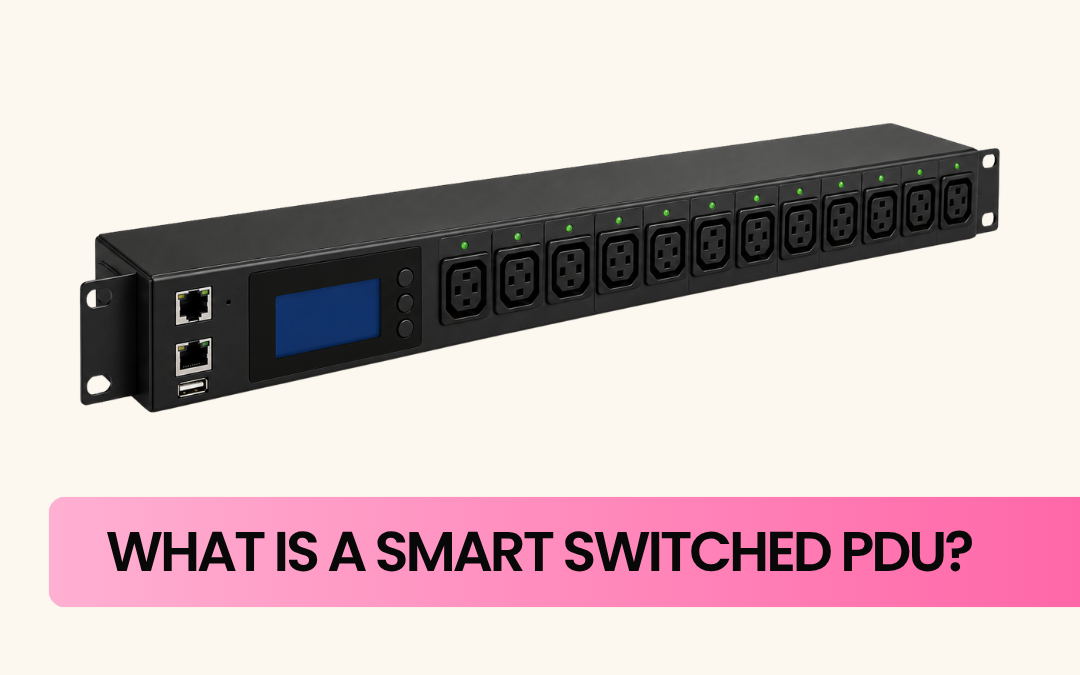
A Smart Switched PDU is a power distribution device that lets IT teams remotely monitor and control power to individual outlets over a network, rather than relying on someone physically walking into a server room to flick a switch. It combines smart monitoring and switched control in one unit, making it possible to track power usage in real time and turn specific outlets on or off from anywhere with network access.
This matters most where downtime is expensive and physical access isn’t always convenient: data centres, comms rooms, regional sites, and anywhere a locked-up device needs a quick reboot without waiting for someone to drive out and pull the plug.
What Is a Switched PDU?
A Switched PDU is a Power Distribution Unit that allows individual outlets to be turned on, off, or remotely rebooted over a network, without anyone needing to be physically on-site. Unlike a basic PDU, which simply distributes power with no way to control it remotely, a Switched PDU gives administrators outlet-level command through a web dashboard, SNMP, or API integration.
This is especially useful for rebooting a single unresponsive server, switch or router without cutting power to anything else on the same unit, and without a site visit. On its own, a Switched PDU focuses on control rather than detailed monitoring; add consumption metering to the same unit, and it becomes a Smart Switched PDU.
What Does a PDU Actually Do?
A Power Distribution Unit takes a single incoming power feed and distributes it across multiple outlets, powering the racks of servers, switches, storage and networking gear in a typical data centre or comms cabinet. It’s the infrastructure sitting quietly behind the equipment everyone actually cares about — but without it working properly, nothing else runs either.
Core jobs a PDU handles: distributing power reliably across connected devices without overloading circuits, monitoring voltage, current and load, protecting equipment via built-in surge protection, and supporting cost control through better visibility into power draw. On Smart Switched PDUs specifically, individual outlets can also be switched on, off, or cycled remotely without anyone on-site.
PDU vs Power Cord: What’s the Difference?
A power cord is a basic cable connecting one device to a power source — no monitoring, no control, no protection. Fine for a single appliance, not much use for a rack of critical infrastructure.
A PDU manages power delivery across multiple devices at once, and depending on the type, adds load balancing, surge protection, usage monitoring, or remote switching. A power cord is passive; a PDU is active infrastructure.
Types of Smart PDUs
- Basic Smart PDUs – Monitor power at the unit or bank level, with no control over individual outlets.
- Metered PDUs – Detailed, often outlet-level, real-time consumption data, but no remote switching.
- Switched PDUs – Remote on/off/cycle control per outlet, typically without consumption monitoring.
- Smart Switched PDUs – Combine metering and switching in one unit, the preferred option for critical infrastructure since it covers both visibility and control.
- ATS (Automatic Transfer Switch) PDUs – Built for redundancy, automatically switching to a backup power source if the primary feed fails.
How Does a Smart Switched PDU Work?
A Smart Switched PDU sits between the incoming power feed and the equipment racked in a cabinet. Metering circuitry continuously tracks power draw per outlet or bank, while relays or solid-state switching components allow each outlet to be controlled independently.
Data and control access is typically available through a local display, a web-based dashboard, SNMP integration with existing monitoring platforms, or API access for automation.
How to Reset an Outlet Remotely
- Log into the PDU’s management interface via its web dashboard or monitoring platform.
- Locate the outlet connected to the device that needs rebooting.
- Switch it off, wait five to ten seconds, then switch it back on.
Only that outlet is affected — everything else on the same PDU keeps running.
Features of Smart PDUs
- Outlet-level monitoring and switching – control over individual devices, not just the whole unit
- Remote access – web dashboard, SNMP or app-based control
- Environmental sensors – temperature and humidity monitoring for the rack
- Threshold alerts – notifications when readings move out of range
- Load balancing support – prevents circuits being unevenly loaded across phases
- Scheduled power cycling – for maintenance or cutting draw during off-peak periods
- Historical data logging – supports capacity planning and audits
- Surge protection – shields equipment from voltage spikes
- Hot-swappable components – some maintenance without a full rack shutdown
Frequently Asked Questions
1. What’s the difference between a managed and a switched PDU?
A managed PDU generally offers monitoring and reporting, while a switched PDU adds the ability to remotely turn outlets on or off. A Smart Switched PDU combines both.
2. Do Smart Switched PDUs help reduce energy costs?
Yes – visibility into which devices draw the most power helps teams cut inefficiencies, schedule non-critical equipment down during off-peak hours, and avoid overloading circuits.
3. Can a Smart Switched PDU integrate with existing network monitoring tools?
Most units support SNMP and API access, so they can be integrated into existing dashboards rather than needing a separate system.
